
Affordable Website Design Services for Small Businesses
Looking for cheap website design services for your small business? You’re in the right place. This guide helps entrepreneurs and local business owners find budget-friendly website solutions without sacrificing quality or effectiveness.
We’ll explore the best low-cost website design options available today, show you which essential features your business website absolutely needs, and explain how to choose a service that delivers real value for your investment.
Why Affordable Website Design Matters for Small Business Success:

A. The Direct Impact on Your Bottom Line
Small business owners know one thing for sure: every dollar counts. When you’re running a small operation, investing $10,000 in a website just isn’t realistic. But here’s the good news – you don’t have to.
Affordable website design directly impacts your profitability in several ways:
- Lower upfront investment means faster ROI
- Reduced monthly maintenance costs keep expenses predictable
- More budget available for actual marketing and driving traffic
Most small businesses see their website investment pay off within 3-6 months when they choose budget-friendly options. That’s money back in your pocket faster.
B. Competing with Larger Companies on a Budget
Big corporations drop thousands on fancy websites. But guess what? Your small business doesn’t need all those bells and whistles to look professional online.
What you really need is:
- Clean, responsive design that works on all devices
- Fast loading speeds (customers bail after 3 seconds of waiting)
- Clear calls-to-action that drive conversions
Small businesses actually have an advantage here. Your site can be more focused, more nimble, and more personal than corporate behemoths. A streamlined site often converts better than an overly complex one.
C. Balancing Quality and Cost Effectively
The secret that nobody tells you? The price tag doesn’t always reflect quality. Many affordable website designers deliver exceptional results by:
- Using premium WordPress themes instead of custom coding everything
- Focusing on the essential pages you actually need
- Leveraging quality stock photos instead of expensive custom photography
- Setting up systems you can easily update yourself
Smart small business owners know it’s about finding that sweet spot – where your website looks professional enough to build trust but doesn’t drain your bank account. The right affordable designer will help you make strategic decisions about where to invest and where to save.
Top Budget-Friendly Website Design Options

DIY Website Builders: Pros and Cons
Building your own website might sound scary if you’ve never done it before. But here’s the truth: modern DIY website builders have made it ridiculously simple.
Pros:
- Super affordable: Most start at $5-15/month
- No coding needed: Drag-and-drop interfaces make it easy
- Quick setup: Launch in hours, not weeks
- All-in-one solutions: Hosting, domain, and templates included
Cons:
- Limited customization: You’re stuck within their framework
- Hidden costs: Extra features often cost more
- SEO limitations: Not always optimized for search engines
- Cookie-cutter feel: Your site might look like others
Wix, Squarespace, and WordPress.com are solid options if you’re on a tight budget and need something up fast.
Freelance Designers vs. Agencies: Cost Comparison
The price gap between freelancers and agencies is massive. And guess what? The quality difference isn’t always that big.
| Service | Freelancer Cost | Agency Cost | Turnaround Time |
|---|---|---|---|
| Basic website (5 pages) | $500-1,500 | $2,500-5,000 | 1-3 weeks vs. 2-6 weeks |
| E-commerce site | $1,000-3,000 | $5,000-15,000 | 2-4 weeks vs. 4-12 weeks |
| Custom features | $30-80/hour | $100-250/hour | Varies |
Freelancers often deliver better value because they have lower overhead costs. They’re also typically more flexible with revisions and timelines.
Where agencies shine: complex projects requiring multiple specialists. But for most small businesses, a good freelancer will do the job at a fraction of the cost.
Template-Based Solutions That Don’t Look Generic
Templates have a bad rap. People think they scream “amateur hour.” But that’s outdated thinking.
Premium templates today are seriously impressive. The key is customization – even small tweaks make a huge difference:
- Swap in your brand colors and fonts
- Use your own high-quality images (not the stock photos that come with it)
- Customize the layout slightly
- Add your unique content
ThemeForest, Template Monster, and Creative Market offer thousands of professional templates for $50-100. Many WordPress themes like Divi or Astra let you customize almost everything without touching code.
The secret? Pick a template in your industry, but not one your direct competitors use.
Open-Source Platforms That Save Money
Open-source platforms are the hidden gems of budget website design. They’re completely free to use – you only pay for hosting and domain.
WordPress.org (not to be confused with WordPress.com) powers about 40% of all websites for good reason. It’s free, incredibly flexible, and has thousands of free themes and plugins.
Other great options:
- Joomla: Great for larger, content-heavy sites
- Drupal: Powerful for complex websites requiring advanced features
- Ghost: Perfect for bloggers and content creators
- WooCommerce: Free e-commerce plugin for WordPress
The learning curve is steeper than with DIY builders, but the payoff is huge. You’ll have full control, better SEO capabilities, and no monthly subscription fees.
A decent hosting plan costs around $3-10/month, making this the most cost-effective solution for businesses willing to invest a little time learning the basics.
Essential Features Every Small Business Website Needs
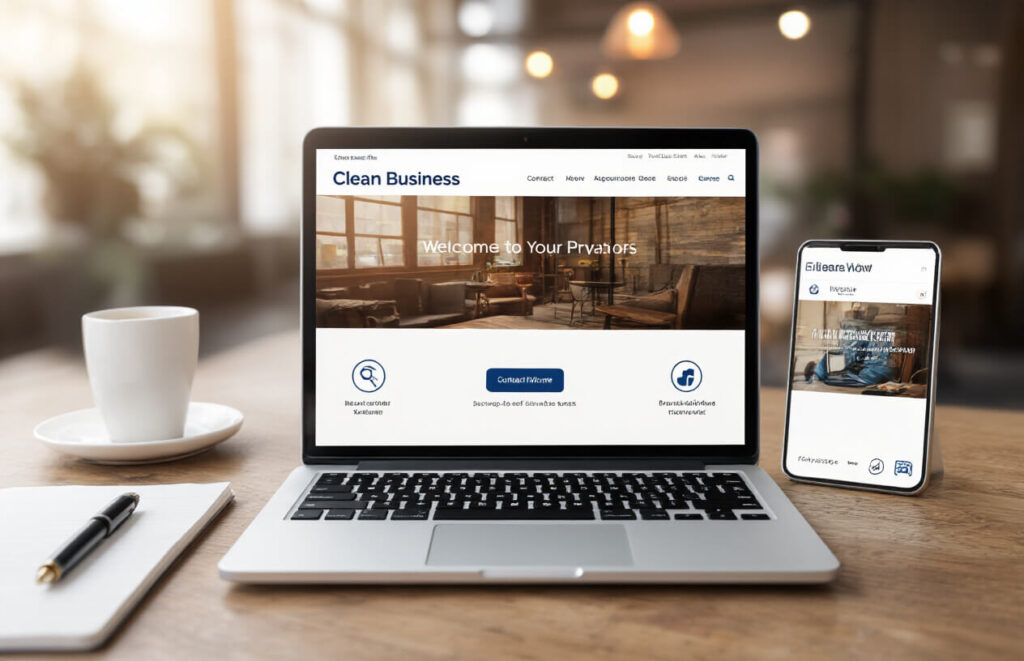
Mobile Responsiveness on a Budget
Gone are the days when having a mobile-friendly site was optional. Over 60% of web traffic now comes from phones. But here’s the good news – you don’t need to spend a fortune to make your site work on all devices.
Free responsive templates are everywhere these days. WordPress, Wix, and Squarespace all offer budget-friendly themes that automatically adjust to any screen size. The trick is picking a simple design that loads quickly.
Want to test if your site is truly mobile-friendly? Just grab your phone and try to:
- Read all text without zooming
- Click buttons easily with your thumb
- Fill out forms without frustration
- Navigate without horizontal scrolling
If you passed all those tests, you’re golden. If not, focus your limited budget on fixing these issues first.
SEO-Friendly Structure Without Extra Costs
Getting found online doesn’t require expensive SEO packages. The foundation of good SEO is actually built into how you structure your website.
Start with clean, descriptive URLs that tell both users and search engines what your page is about. Then make sure each page has:
- A single, clear H1 heading
- Descriptive alt text on images
- Fast loading times (compress those images!)
- Content that actually answers customer questions
The secret small businesses miss? Local SEO is your superpower. Google My Business is completely free and puts you on the map – literally.
User-Friendly Navigation That Converts
Fancy menus don’t convert visitors into customers – clarity does. Your navigation should pass the “5-second test” – can a new visitor figure out how to find what they need within 5 seconds?
The most effective small business sites keep navigation dead simple:
- 5-7 main menu items maximum
- Contact info visible on every page
- Clear call-to-action buttons that stand out
- A search function if you have lots of products
Remember that every extra click costs you customers. The path from landing on your site to contacting you or making a purchase should never exceed 3 clicks.
Your website navigation isn’t about looking cool – it’s about making money. Every decision should support that goal.
How to Evaluate Affordable Website Design Services

A. Red Flags That Signal Hidden Costs
You’re checking out website designers with jaw-dropping low prices. Sounds awesome, right? Not so fast.
Those too-good-to-be-true deals often hide nasty surprises. Watch out for vague contracts that don’t spell out exactly what you’re getting. If they’re fuzzy about deliverables, they’ll probably hit you with “extra fees” later.
Another classic trap? The old “basic package” trick. Sure, the starter price looks amazing, but wait – no domain name, no hosting, no SSL certificate. Those “add-ons” (which are actually essentials) quickly double your cost.
And don’t get me started on maintenance fees that appear out of nowhere after your site launches. Or revision limits that charge you $75 every time you want to change a comma.
My personal favorite red flag? When they won’t give you admin access to your own website. That’s like buying a car but not getting the keys unless you pay more.
B. Portfolio Assessment: Quality Indicators at Low Price Points
When browsing cheap website designers, dig deeper than just pretty pictures. A solid portfolio should show consistency across multiple projects – not just one amazing site surrounded by mediocre work.
Look for these quality markers that don’t necessarily cost big bucks:
- Clean navigation that makes sense
- Fast-loading pages (test them yourself!)
- Mobile responsiveness that actually works
- Readable fonts and good color contrast
- Working links and forms
The best budget designers create simple but effective sites. They might not have all the bells and whistles, but they nail the basics. Check if their portfolio includes businesses similar to yours – that shows relevant experience.
Don’t just admire the screenshots. Visit the actual live sites in their portfolio. Are they still up and running? Do they function well? A beautiful portfolio image means nothing if the real site crashes every five minutes.
C. Understanding Service Packages and What You Actually Need
Small business owners often get pushed into website features they’ll never use. Think about what you actually need versus what sounds cool.
| Common Feature | Do You Actually Need It? |
|---|---|
| Blog section | Only if you’ll update it regularly |
| Custom animations | Rarely worth the extra cost |
| E-commerce capability | Essential for selling products, wasteful otherwise |
| Social media integration | Basic links work fine; fancy feeds cost more |
| Contact forms | Yes, but simple ones work just as well as fancy ones |
The smartest approach? Start small with core features, then add more as your business grows. Most small businesses do perfectly fine with:
- A clean homepage that explains what you do
- An about page that builds trust
- Service/product pages with clear details
- Simple contact information
- Basic SEO setup
That’s it. Everything else is just expensive fluff until proven otherwise.
D. Client Testimonials and Their Importance
Client feedback speaks louder than any marketing copy. When evaluating cheap website services, genuine testimonials are pure gold.
Dig for specific praise rather than generic comments. “They increased our conversion rate by 24%” beats “Great service!” any day of the week. Look for testimonials that mention challenges overcome or problems solved – these show real value.
But here’s the trick: don’t just read testimonials on the designer’s own website. Those are cherry-picked. Instead:
- Search their business name on Google reviews
- Check their social media comments
- Ask if you can directly contact previous clients
- Look them up on industry platforms
Pay attention to how they handle negative feedback too. Nobody’s perfect, but good designers acknowledge issues and explain how they fixed them.
Remember: testimonials from businesses similar to yours carry more weight. A rave review from a restaurant means little if you’re running an accounting firm.
E. Ongoing Support Options That Won’t Break the Bank
Website support shouldn’t cost more than your mortgage. But going too cheap can leave you stranded when things break.
Reasonable support options include:
- 30-day post-launch bug fixes (should be free)
- Basic content updates ($25-50/hour is fair)
- Security monitoring ($10-20/month)
- Regular backups ($5-15/month)
Avoid annual contracts that lock you in. Monthly plans let you cancel if service quality drops. And watch out for tiered support where actual human help is only available in the “premium” package.
Smart designers offer training sessions so you can handle simple updates yourself. A one-hour tutorial might cost $100 upfront but save you thousands in update fees.
Ask pointed questions: “If my site goes down at 8pm, when will you fix it?” and “What’s your average response time to support tickets?” Their answers reveal more than any pricing page.
The best cheap website support isn’t the cheapest – it’s the one with transparent pricing and no surprise fees.
Maximizing ROI from Your Budget Website

Content Strategies That Drive Traffic Without Extra Spending
You just dropped good money on a budget-friendly website. Now let’s make it work harder for you without spending another dime.
Smart content doesn’t cost more—it just performs better. Start by creating answers to questions your customers actually ask. Got a lawn care business? Write “How to tell if your lawn needs reseeding” instead of just “Our Services.”
Use what you already know:
- Turn customer emails into FAQ pages
- Create how-to guides based on your expertise
- Share quick tips that show off your knowledge
Photos sell better than words alone. Don’t have a budget for photoshoots? No problem:
- Use your smartphone for product photos against clean backgrounds
- Show your work in progress (customers love seeing the real you)
- Create simple graphics with free tools like Canva
Low-Cost Marketing Integration Options
Your budget website can still connect with powerful marketing tools that won’t break the bank.
Free options that actually deliver:
- Google Business Profile: Gets you on Maps and local search results
- Email signup forms through Mailchimp’s free tier
- Social media buttons that actually work (and are placed where people see them)
Skip the expensive plugins and focus on these free alternatives:
- Google Analytics (basic version gives you all the data most small businesses need)
- Facebook Pixel (lets you run targeted ads when you’re ready)
- YouTube embeds for demo videos (beats paying for video hosting)
Growth-Ready Design: Scaling Without Rebuilding
The smartest business owners think ahead. Your budget website shouldn’t be a digital dead-end.
What makes a design “growth-ready”?
- Modular page templates you can duplicate as you add services
- Navigation that can expand without breaking
- Content organization that won’t need restructuring when you grow
Ask your designer these questions:
- “How easily can we add more pages later?”
- “What happens when we need to add an online store?”
- “Can we upgrade specific features without rebuilding everything?”
A good budget site is built on a foundation that supports your next three years of growth—not just your needs today.

Affordable website design services have become a game-changer for small businesses looking to establish a digital presence without breaking the bank. From budget-friendly design options to essential features like mobile responsiveness and SEO optimization, small business owners now have numerous paths to create professional websites that drive growth. When evaluating these services, focusing on portfolios, client testimonials, and clear pricing structures ensures you get the best value for your investment.
Remember that an affordable website isn’t just about saving money upfront—it’s about maximizing your return on investment. By choosing the right design service that balances cost with quality and functionality, your small business can compete effectively in the digital marketplace. Take the first step today by researching budget-friendly options that align with your business goals and watch as your online presence helps transform your small business into a thriving enterprise.